FWWIW, I do something similar for free using zoom -- I start a zoom meeting, share my screen and record the meeting (with just me in it). The resulting video is my face in the corner and my screen. Not as many features as Loom obviously, but free.
fyi, it looks like the free version is limited to "25 videos / user", unless you sign up with a school email address (as part of their "Loom for educators" program). Otherwise, subscriptions look to be $15/mo (or $12.50/mo when billed annually).
Looks like a useful service though, thanks for sharing!
Thank you for pointing that out! Worth noting that's a limit on the videos you can have stored on their servers at once; if you want to download & delete them from the servers you can record as many as you like.
Loom is a desktop tool and chrome extension for screen capture and audio/video recording app with easy sharing features.
It's worth noting: Loom is probably the tool here I'm most excited about! I used it a lot during this project (to make all the videos, and to talk to Chana), and I think basically everybody who's doing video or text messaging in a professional capacity should consider using Loom. It's very straightforward, and it just works.
Cutting a zoom meeting with a supervisor down to a 5 minute video explaining how your work is going
Other Tutorials
Loom have a 'getting started' page which has (unsurprisingly) good video introductions, but leans sales-pitch-y. The tool is quite intuitive, so it would also be reasonable to just download and start using it to get maybe 70% of the value.
Text Tutorial
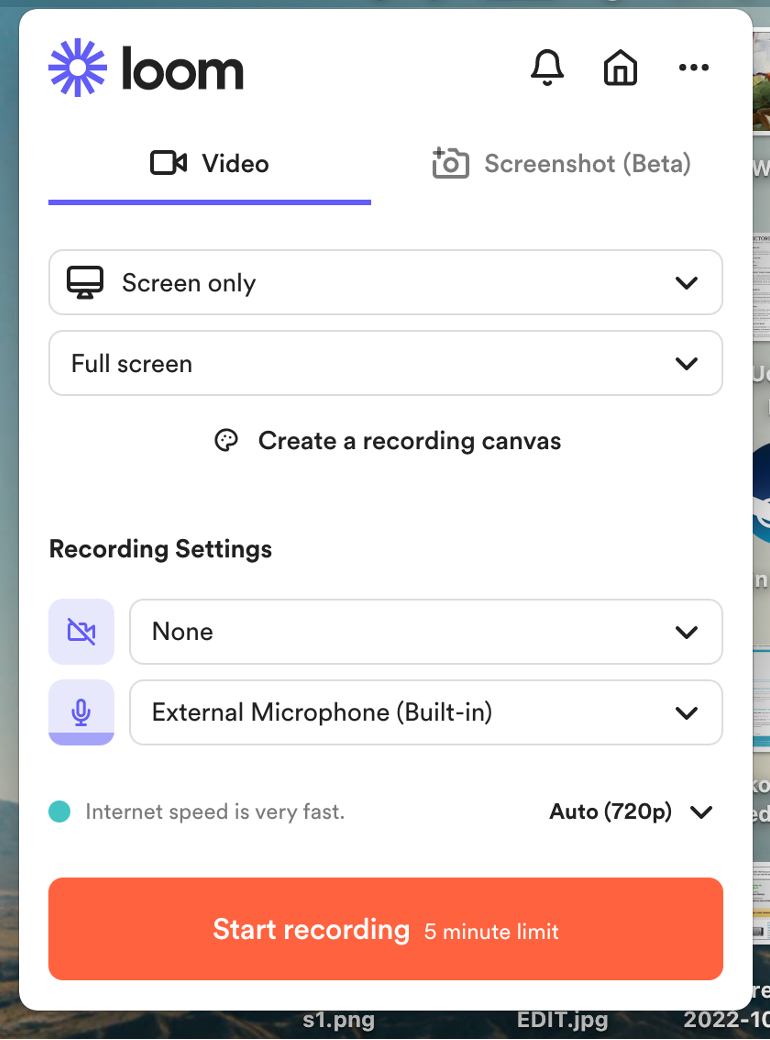
Loom is available as a desktop app or chrome extension. The key interface has a number of recording settings; you can use loom to record your screen (full screen or a specific window), video, and audio.
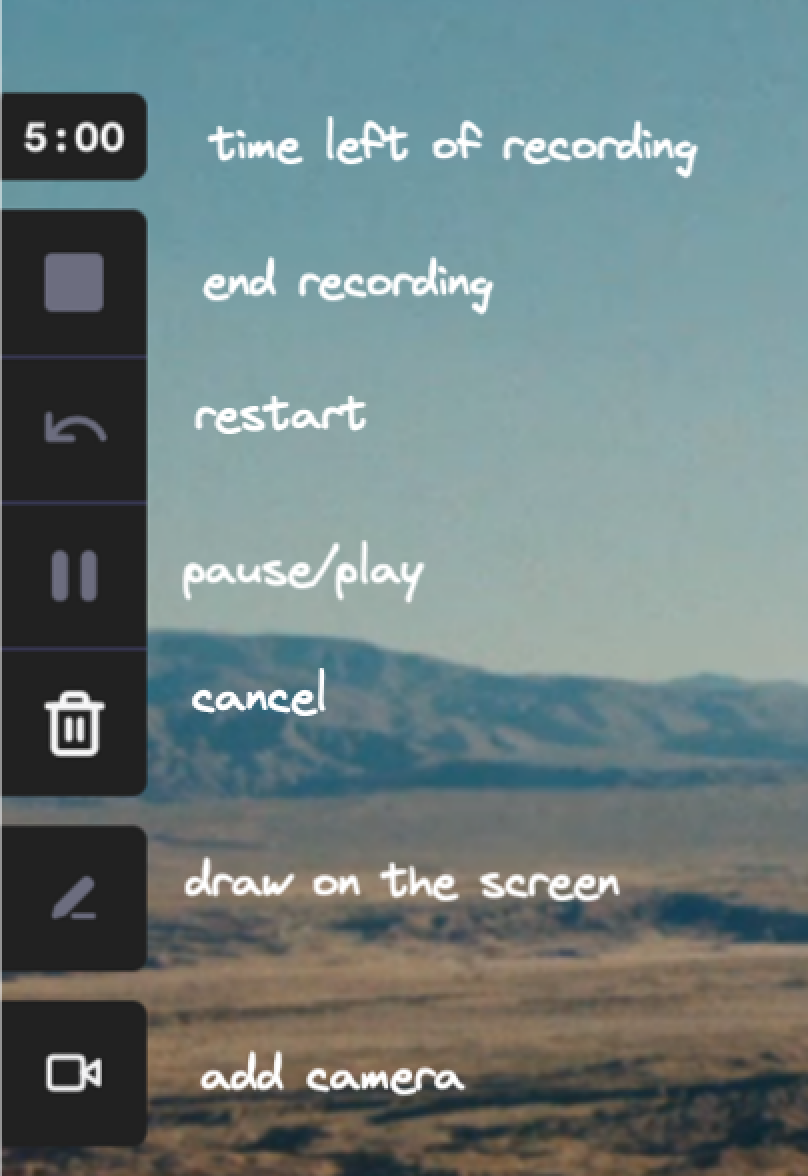
Once you start recording, this interface will disappear and loom will become a smaller interface at the left of your screen. If you hover over each button a keyboard shortcut for that command will show.
When you click 'stop recording', loom automatically opens a webpage with your video on it. By default, loom plays videos at 1.2x speed.
Note that some features (videos >5min, screen drawing) require an $8/mo subscription.
I found loom really useful as a tool, and I can see myself using it a lot when I'm trying to explain things quickly, remotely, & asynchronously; I used it during this project to communicate with colleagues!
It's pretty intuitive, and the workflow is very smooth. It's mildly irritating that you can't (so far as I could spot) make videos save locally by default, and therefore need an active internet connection to record. It's also worth noting that the automated transcriber is pretty good, and it's easy to correct; I recommend people use them if they have any trouble hearing.
It's also easy to download videos and upload them to youtube, as was done for the above video.
Try it Yourself!
Take something you've written recently (e.g. a forum post, a long message to a colleague) & try recording a loom summary of it. Alternatively, you could explain how to use something on a computer (an excel function, an app you think is neat, etc.). Share your experience of using Loom in the comments and (if appropriate) link to your video!
Edit: The match seems to now be over - the funds were expended in around 35 minutes. But many of these charities are great and should be supported regardless!
***
On October 22nd starting at 10:00am Pacific Time, Every.org is matching donations to select animal welfare organizations at a 2:1 rate, up to $2,000 per donor per nonprofit (so if you give up to $2,000, they will contribute up to $4,000 and the nonprofit will get up to $6,000). The first donation a donor makes to each el...
Crossposted to Less Wrong
‘Like most of life’s dangers, the dangers of artificial intelligence are not easily identified from the armchair.’
J Dmitri Gallow
Epistemic status
I’m not an expert in this field, and herein I make some sweeping generalisations educated guesses about the overall...



FWWIW, I do something similar for free using zoom -- I start a zoom meeting, share my screen and record the meeting (with just me in it). The resulting video is my face in the corner and my screen. Not as many features as Loom obviously, but free.
Smart! I think loom is also free (for now) if you don't use it to host videos, and I personally find it more convenient (I use the browser extension, I like that you can easily select a rectangle to record)