Comments


166
The Forum team is expanding to keep up with Forum growth, and we’ve been quite focused on hiring — we just welcomed Ryan Fugate and Ollie Etherington to the team.
This post collects a number of new features and small improvements that have been shipped since the last update, as well as some in-progress improvements from broader projects the team is currently working on. Some of these were created by members of the Forum team, and some were contributed by community members to whom we’re really grateful.
As always, feedback is welcome — you can comment on this post with specific input, or request more features on the Forum feature suggestion thread.
You can import your EA Global application data into your Forum profile.
Profiles allow people involved in effective altruism to connect with each other. Having an up-to-date profile makes it easier for people to understand who you are and reach out to you for collaboration, advice, and more.
The new form makes it easier for you to update your profile. Note that you can also go here to manually update your Forum profile and bio — which we encourage!
We've been working on user profiles on the Forum, and have added some new fields. To save you work, we've added a form that lets you import data from your EA Global (or EAGx) application to your EA Forum profile.
At the moment, you can only do this on a computer browser (we hope to make this easy to do on a phone in July). It will also only work if your Forum email address matches your EA Global application email address. (We plan on supporting email address changes on the Forum in the near future.)
When you visit the form, you'll see something like this:
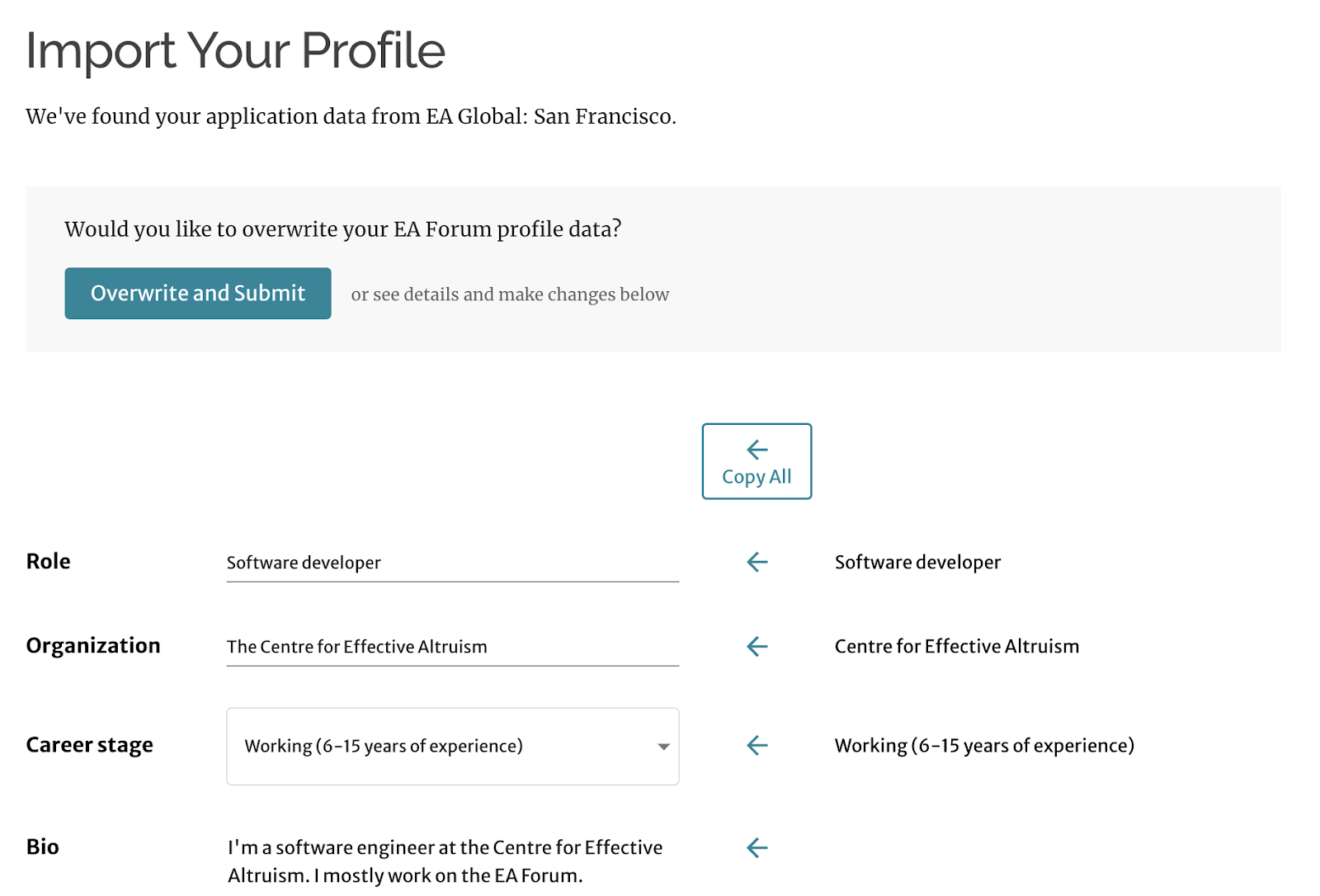
If you want to import your EAG data, click “Overwrite and Submit.”
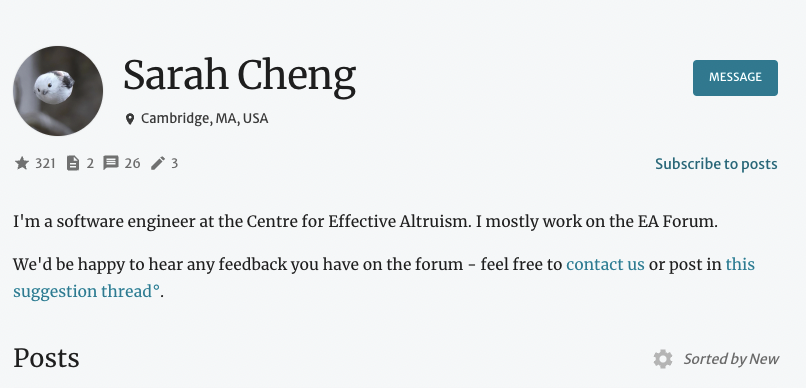
You can now upload a profile photo, which will only be shown in two places unless you opt in to new experimental features.
On your profile page:
And on the map of community members:
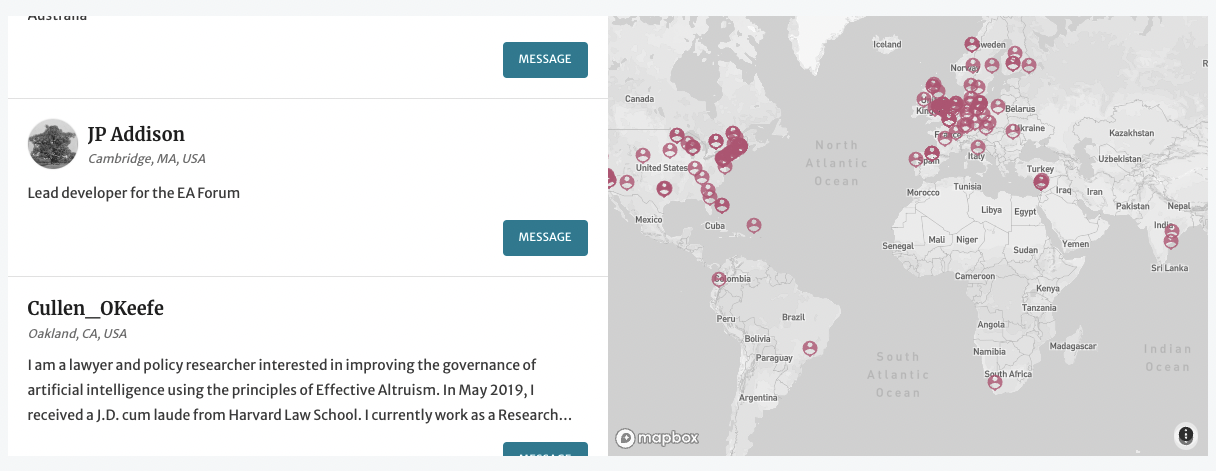
We may end up adding profile pictures to direct messaging (you’ll see the profile image instead of the person’s username), but we don’t expect to add profile photos anywhere on the Frontpage or in the comments section.
We’ve discussed adding profile pictures in the past, and are trying to be cautious about our approach. In particular, we hope that profile pictures will make the Forum feel warmer and make it easier to connect with other users, but we don’t want to distract from serious conversations or increase the impact of various biases. So we’ll be proceeding with care.
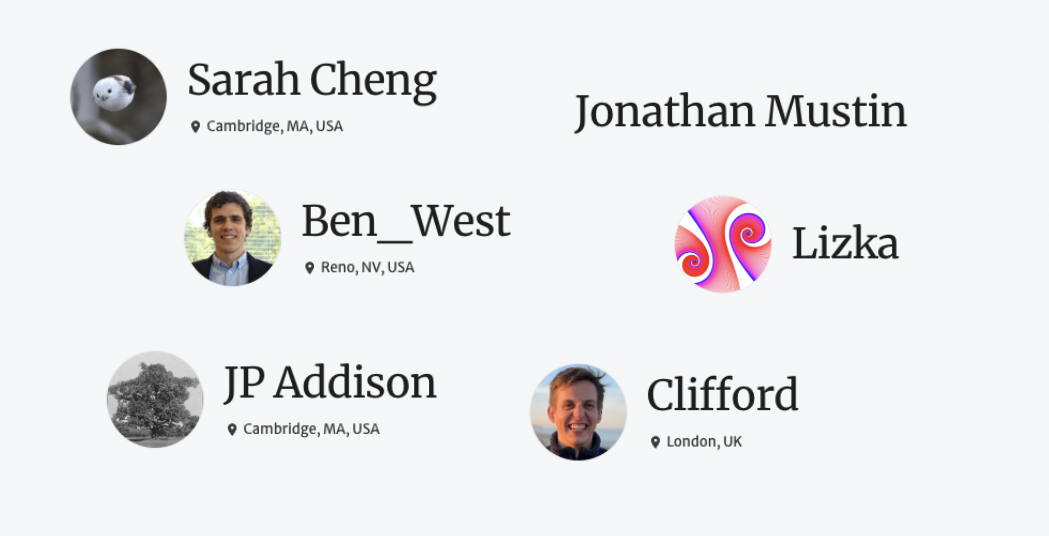
We also want to encourage everyone to go for whichever option feels most comfortable for them, which can mean:
On the online team right now,[1] we have a whole variety:
If you want to encourage people to follow up on your posts, you can choose to feature something like this at the bottom of your posts:
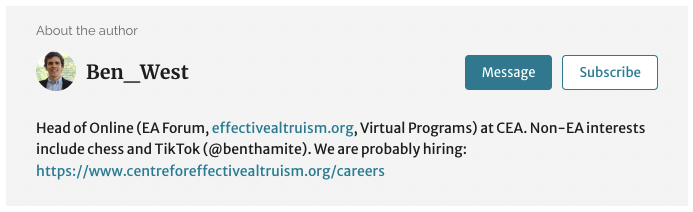
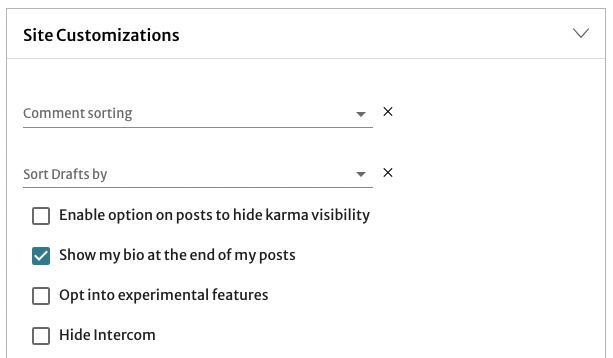
By default, this feature is disabled. To turn it on, go to your profile page, then “Account Settings,” and then turn it on in “Site Customizations”:
You have new fields you can fill out in your profile. We’re planning on updating the design of the user profile soon, but we’re excited for users to start filling out the new fields.
You’re prompted to add any of the following:
They’ll appear as small icons on your profile. You can see how it will look here.
You can also note your job title and career stage in your profile now. You can see how it appears here.
You can see an example here.
EA Groups (like this one) are listed on the “Community” page.
If you organize an EA Group and you’ve already been in touch with the Forum team, you have the option to list any groups you organize on your profile. You can see how this would look here.
If you don’t think you’re already listed as an organizer of your group(s), you can request to be added by submitting this form.
You can now hide posts from your Frontpage if you’re logged into a Forum account. Find the post you no longer want to see, hover over the three dots to the right of the post, and select “Hide from frontpage.”
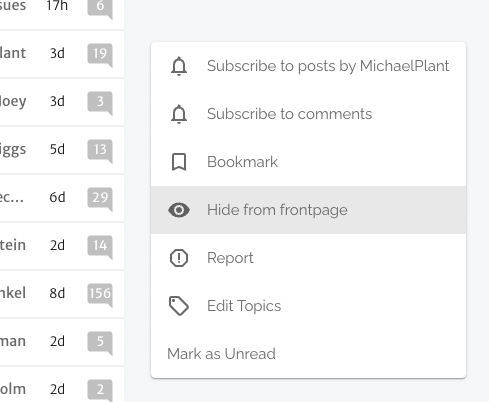
If you want to uncover the post, you’ll need to find the post on the list of All Posts, and click on “Un-hide from frontpage,” located in a similar spot.

We announced some updates for following and filtering topics on the Forum (as well as more instructions on how to curate your Frontpage) in this post: Follow and filter topics (& an update to the “Community” topic).
In brief: The Forum allows logged-in users to curate their Frontpage to see more or less of certain topics. Many people don’t use this feature, and we’re trying to make it more known, so the post explains how to set it up. We also modified how the presence of the “Community” tag on a post interacts with the default Frontpage sorting algorithm in order to keep up with Forum growth.
The number of daily users — and therefore the total amount of karma given every day — has been rising pretty dramatically, meaning that “top karma” posts are overwhelmingly from recent months. But you can now find lists of posts sorted by inflation-adjusted karma score by changing what you’re sorting by on the All Posts page or just visiting it directly.
Thanks to Emrik for inspiration.
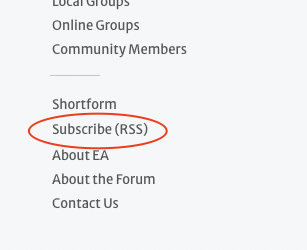
Also to keep up with inflating karma, we updated the RSS levels available in the Forum’s RSS feed links:
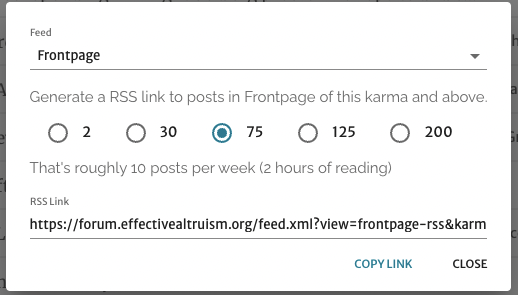
You can find the feeds in the sidebar:
We’re slowly updating the Forum Wiki’s categorization, and we recently published the first round of rewrites. You can explore them here.
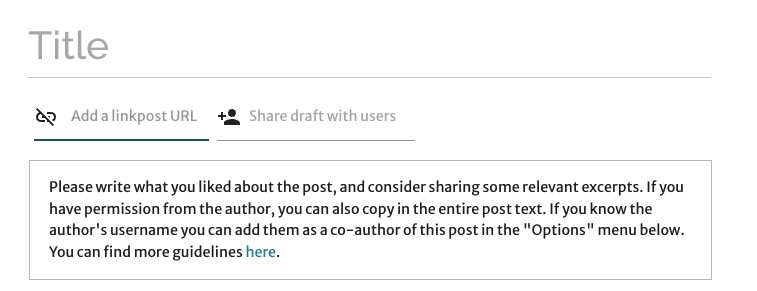
If you want to create a link- or cross-post, you can mark it as a link-post on the post editor page, and you will see some suggested guidelines.
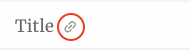
This will format it appropriately on the Frontpage (with a little link icon after the title):
When you’re drafting a post, you can scroll down to the “Options” box, and request that someone be added as a co-author (you’ll need to put in their exact username).
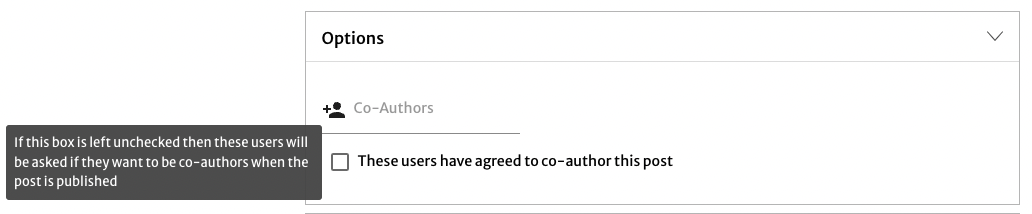
If you check the box, “These users have agreed to co-author this post,” the users will just appear as co-authors when you publish. If you don’t, they’ll get a notification asking them to confirm that they want to be your co-author.[2]
(This only applies if you have at least 10 karma. If you have less, you will not see this option; contact [email protected] if you want to add someone as a co-author.)
When you look at answers to a question, by default they’re generally sorted by karma score. Now you can sort them by “Newest”:
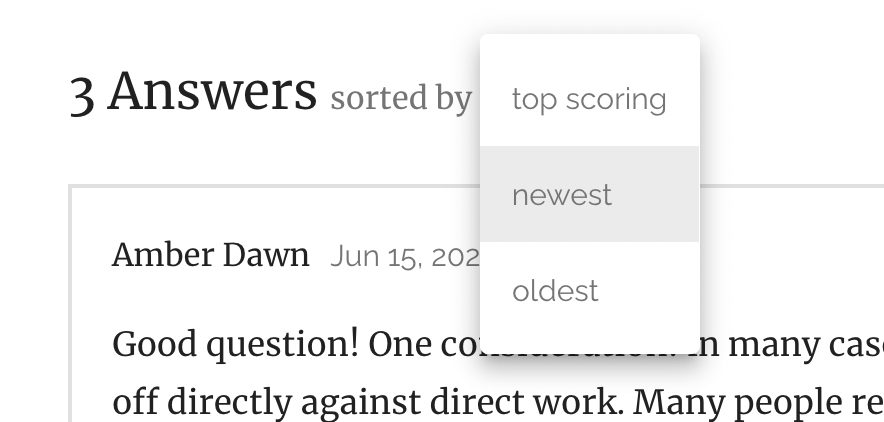
This was made by Lorenzo — thank you!
Social media previews for Forum posts better than they were before — see below. This is even more noticeable with images, which are now featured by the preview; if you ever wanted more incentive to add an image to your post, here’s one.
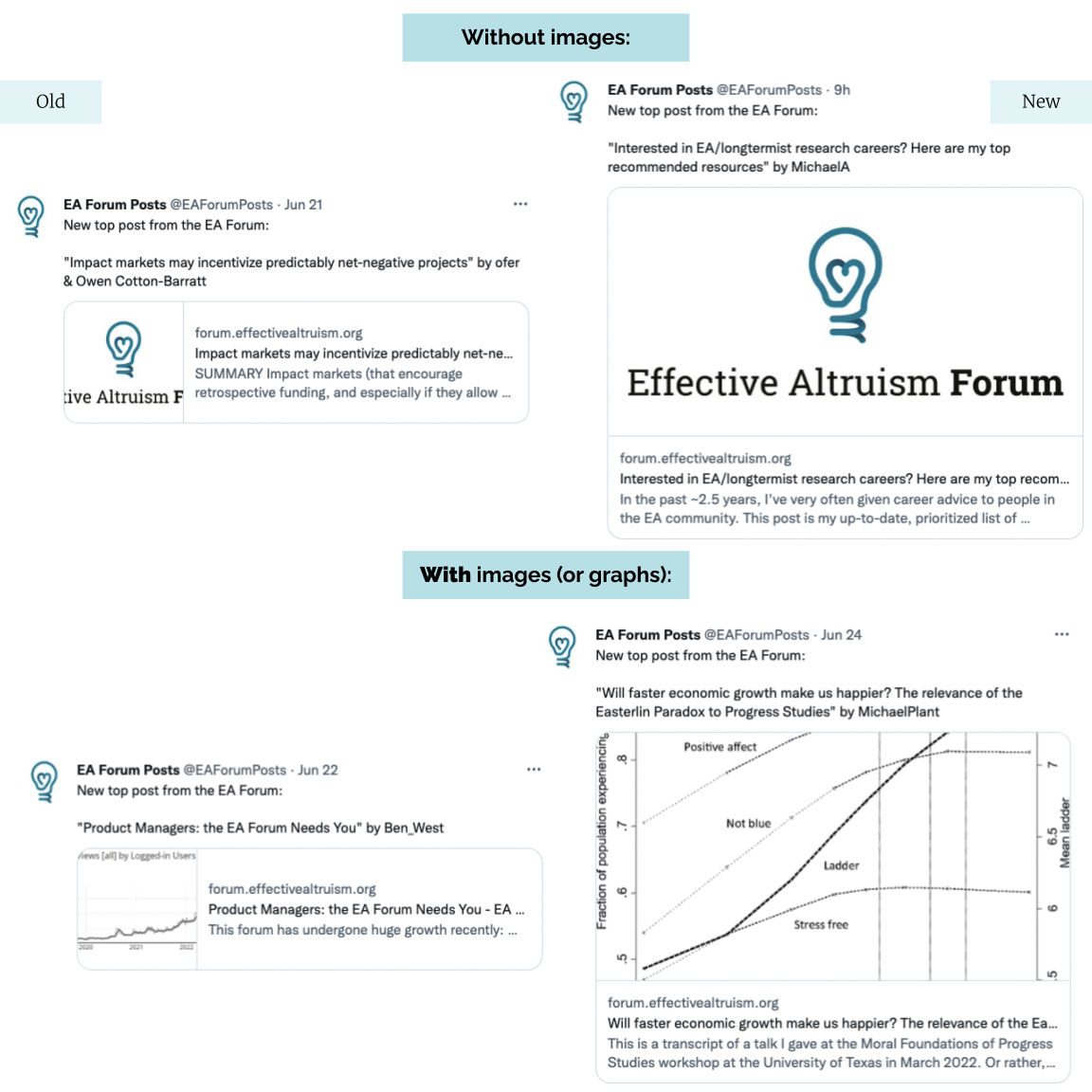
You can find them at the top of your Frontpage.
To everyone who contributed, including Elijah E, Steven R, Will H, and Will P.
I (Lizka) will probably change my profile picture. I’m picky about this sort of thing.
If you click publish, the post will go into draft for a day while we wait for them to accept. If they don't accept within 24 hours, the post gets published anyway, without them as co-authors unless or until they approve. (This is explained by a tooltip on the publish button.)


I dunno “About the author” looks really annoying to me. It triggers ~disgust for "unwarranted status/authority projection" social games associated with some other outlets. It's fine to say that you are experts and think X, Y, and Z (but your reasons should be good still); it's also fine to have a friendly oneliner to remind a reader who the author is. But having all your bio recalled after each post is a bit "meh".
Unfortunately, it seems there is no way to hide it in Account Settings > Site Customizations. If anyone is in my shoes, I killed it with the uBlock origin element picker.
Thanks for the feedback! This feature was an experiment, and based on the results we've decided to remove it from the forum. We might redesign it and run a follow-up experiment in the future, so if you have other thoughts on it we'd be interested to hear them.